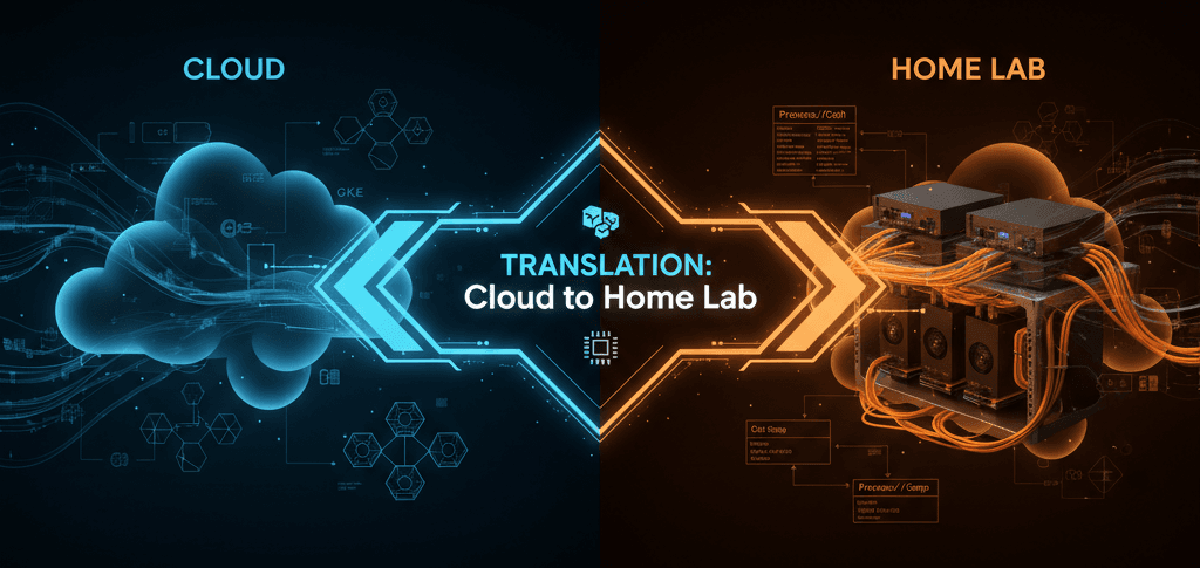

When you architect a Kubernetes cluster, you don’t think about heat dissipation or power consumption. You think in abstractions: N2 instances, vCPUs, memory tiers. Click, deploy, bill. The infrastructure vanishes behind APIs and Terraform declarations. But the moment you decide to build that same cluster in your homelab, those abstractions collapse into very real decisions: which CPU, how much RAM, what kind of storage, and critically, how much will this cost me in electricity every month?
Part 1 of a two-part series. If you are looking for the hands-on hardware decisions (CPU, storage, networking, final bill of materials), jump to part 2: From Design Principles to Physical Build.
Recently I reached a milestone in my career: I launched a digital bank and built the production infrastructure from scratch on Google Cloud Platform (GCP). We delivered four complete environments, automated deployments with GitOps and robust CI/CD pipelines, and put in place production-grade observability and autoscaling. The platform now supports 81,000 clients and manages €3.3 billion in assets… a scale that taught me many practical lessons about resilience, placement, and testing.
Two LinkedIn posts document the launch and the team behind it: my personal write-up and the official announcement. They highlight the engineering patterns (scalability, security, automation) that inspired this homelab experiment.
In this first part I translate the way I size and structure production GKE clusters into a set of concrete homelab requirements. Part 2 will use those requirements to justify every hardware choice.
Earlier context if you’re new here:
The Enterprise Starting Point: How I Size GKE Clusters#
When a team asks for a new platform, they describe workloads, not machines: “twelve microservices, 2 vCPUs and 4GB RAM each, autoscaling during peak.” My job: map abstract needs to resilient, compliant, cost-aware infrastructure.
The Cloud Decision Tree#
First fork: GKE mode selection.
- GKE Autopilot – Google manages nodes; you pay per requested pod resources. Perfect for developer velocity and minimizing operational overhead.
- GKE Standard – Full node pool control when you need custom networking, specific CPU generations, GPUs, or tight cost tuning.
Autopilot becomes the golden path; Standard the precision tool for platform engineers.
Machine Family Selection: E2 vs N2 vs C3#
| Machine Series | Profile | Production Use Case | Typical Workload |
|---|---|---|---|
| E2 | Shared-core, cost-optimized | Dev/test, low traffic | Stateless apps, batch |
| N2 | Balanced CPU/memory | General production | APIs, databases |
| C3 | High-frequency compute | CPU/latency sensitive | Real-time, ingress |
My sizing approach is empirical: start with an N2 baseline, deploy with full observability (Prometheus + tracing), run load tests, then right-size and apply FinOps (utilization targets, discounts, preemptibles where safe).
Typical fintech baseline:
- Control plane: 3 x
n2-standard-2 - Workers: autoscaled pool of
n2-standard-4at ~75% target utilization - Ingress: dedicated
c3-standard-4for latency-sensitive edge traffic
The Translation Challenge: Cloud Principles vs Physical Constraints#
In GCP you scale with YAML and APIs; at home you scale with electrical outlets and thermals. The principles stay the same:
- High availability through redundancy.
- Segmentation between control and workload planes.
- Performance tuned to actual needs.
- Deep observability from the start.
- Security through segmentation and least privilege.
The constraint shift: a single power circuit, a single uplink, and real energy cost.
Mapping Machine Families to Homelab Classes#
| GCP Series | Homelab Analogue | Idle Power | Best For |
|---|---|---|---|
| E2 | Intel N100 / Celeron mini PCs | 5–15W | Control plane, light services |
| N2 | Ryzen 5/7 / Core i5/i7 mini PCs | 15–35W | Mixed workloads |
| C3 | Refurb enterprise SFF/tower | 50–100W | Compute-heavy tasks |
N100 = efficiency tier; modern Ryzen/Core mid-range = balanced production tier; older enterprise towers = brute-force compute tier.
Requirements: Making the Abstract Concrete#
Functional#
- Kubernetes: 3-node HA control plane + worker capacity.
- Proxmox: 3 physical nodes for quorum (survive single-node failure).
- Shared storage: Ceph for VM disks / persistent volumes.
- Network segmentation: Multiple VLANs behind OPNsense.
- Core platform services: DNS (Pi-hole), Vault, ArgoCD, Observability (Prometheus/Grafana).
Non-Functional#
- Resilience: Single-node failure without service loss.
- Performance: Capable of real databases, web stacks, batch jobs.
- Power efficiency: Low idle envelope.
- Noise discipline: <30 dB acceptable in living space.
Architectural Trade-Off: One Big Server vs Distributed Minis#
| Option | Strengths | Weaknesses |
|---|---|---|
| Single Enterprise Server | Density, hot-swap, enterprise features | Loud, high idle watts, single failure domain |
| Cluster of Mini PCs | True HA, low power, silent, incremental expansion | Lower per-node headroom, relies on network quality |
I chose distributed mini PCs: mirrors cloud-native redundancy patterns, avoids a loud thermal anchor, and enables failure isolation.
Why This Matters for What Comes Next#
The remaining decisions (CPU architecture, memory sizing, NVMe endurance, dual-switch segmentation) all build on this distributed stance. Instead of one monolith with internal buses, I have to think in terms of east-west traffic, quorum timing, small node recovery behavior, and how storage replication collides with management latency. That is where Part 2 goes deep.
Bridging to Part 2#
So far: abstraction → requirements → architectural stance. The next layer is translating those requirements into silicon choices (IPC vs core count), storage endurance (TBW), memory headroom (ZFS vs Ceph), and physical network topology.
Continue to Part 2: From Design Principles to Physical Build for CPU architecture, memory & storage strategy, networking layout, the final bill of materials, and the closing synthesis.
End of Part 1